Your CMA environment reflects the way your organization works, from task assignments and enrollment steps to document packages and creditor settings. As those workflows evolve, understanding how the pieces fit together becomes increasingly important for the people who rely on them every day.
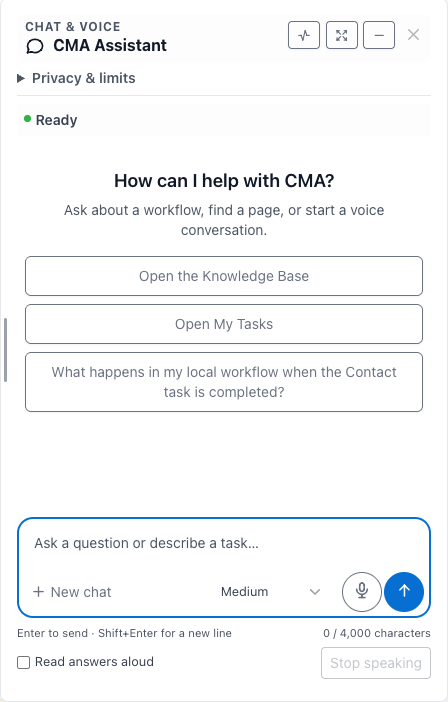
CMA Assistant brings a new way to explore that knowledge: ask a question, by voice or text, directly within CMA.
Replacing CMA Voice, the new Assistant helps staff navigate the application, understand workflows, explore local configuration, and prepare notes and tasks for review. It brings advanced AI into the context of the work your team is already doing.
We call this Reflective Intelligence: helping CMA explain its own configuration by connecting application knowledge with approved settings from your organization’s environment.
For example, staff can ask:
- “Show me the task flow for lead to client enrollment.”
- “Which documents belong to our DMP Enrollment package?”
- “Why is this task assigned differently for these two companies?”
- “What payment minimums and proposal requirements are configured for this creditor?”
- “Which bank holidays are stored for next month?”
To answer a local configuration question, the Assistant can check several related settings, follow supported relationships, and combine what it finds with relevant CMA reference material. Its approved coverage includes task definitions and outcomes, document packages, agency and company defaults, creditor settings, payment types, holidays, and fee schedules.
A useful explanation should reflect how your organization has configured CMA. When records are ambiguous, information is missing, or a workflow can only be partially established, the Assistant is designed to identify the gap and ask for clarification. Configured relationships describe how a workflow is set up.
Answers also adapt to the question. A simple lookup can receive a brief reply, while a complex workflow can receive a fuller explanation. When branching steps or configuration relationships are easier to understand visually, the Assistant can include a diagram automatically. Staff can read the explanation, explore the diagram, ask follow up questions, and choose to hear answers aloud.
These capabilities can support onboarding, refresher training, and conversations between staff, administrators, and our support team. A shared explanation of the configured workflow gives everyone a clearer starting point for discussing what should happen and what needs further investigation.
The Assistant also helps with everyday application tasks. Staff can ask it to open permitted pages, prepare filters on supported lists, summarize limited visible page content when requested, or draft a note or task. A request can combine explanation and preparation: “Explain this workflow, then prepare a note draft summarizing it.” Staff review the result and save record changes through CMA’s normal controls.
Behind these capabilities is a coordinated use of OpenAI models. GPT-Live 1 supports natural voice interaction, GPT-5.6 Luna handles conversation and tool routing, and GPT-6 Astra provides deeper reasoning for Knowledge Base and configuration answers. OpenAI released Astra on September 3, 2026, and made GPT-Live 1 generally available in its API on September 10. OpenAI’s API changelog documents both releases. As future models are released, we’ll continue to improve the integration and capabilities offered by CMA Assistant.
Our engineering work connects those models to CMA’s knowledge, tools, and access controls. Efficient routing handles routine requests, while more demanding questions receive targeted research and deeper reasoning. Users can adjust reasoning strength without needing to choose an underlying model.
Access and data handling remain central to the design. Administrators control who can use CMA Assistant. Approved configuration reads respect agency and company restrictions and exclude client accounts, transactions, and credentials. Separate client-search and requested page-reading tools can use limited client context within the user’s existing access. Common sensitive values are masked, and users should continue to follow their organization’s information handling policies.
CMA Assistant extends our existing AI tools with a practical goal: make the system’s knowledge easier to use, shorten the path from a question to an informed next step, and give staff more room to focus on the people they serve.
It also provides a foundation for further AI capabilities grounded in the workflows our customers use every day.
Existing customers can contact Client Support Software to discuss enabling CMA Assistant. Organizations evaluating CMA can contact us to explore how conversational assistance and configuration aware explanations could support their teams.